





Dual Shields of Web Security: Precision Protection Against Clickjacking and CSRF
In the security system of web applications, clickjacking and Cross-Site Request Forgery (CSRF) are two types of common and far-reaching vulnerabilities. The former induces users to perform unintended operations through UI overlay, while the latter forges requests using user identities. Both may lead to serious consequences such as user information leakage and permission abuse. Starting from the essence of the vulnerabilities, this article focuses on solutions and provides implementable security protection strategies for developers.
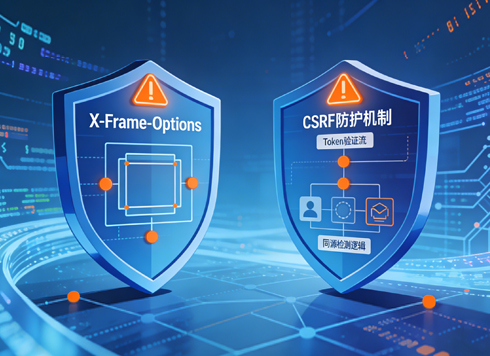
1. Clickjacking: Protection Against Missing CSP frame-ancestors
1.1 Vulnerability Essence: The "Trust Crisis" of Frame Embedding
The core logic of clickjacking (UI overlay attack) is that a malicious website embeds the target website into its own page and hides it through iframe and other frame tags, then covers it with deceptive UI to induce users to click on seemingly harmless elements, which in fact trigger sensitive operations on the target website. If the server does not set the frame-ancestors directive in the Content Security Policy (CSP), it means abandoning the control over "who can embed its own page", leaving an opportunity for attackers. As one of the core directives of CSP, the frame-ancestors directive directly defines the parent page sources allowed to embed the current page, and is a key defense line against clickjacking.
1.2 Core Solution: Build Dual Protection of CSP and X-Frame-Options
The core idea of protecting against clickjacking is to clearly restrict the embedding permission of the page. By configuring the frame-ancestors directive of CSP and the X-Frame-Options header, a "primary protection + fallback protection" dual guarantee is formed to cover compatibility scenarios of different browsers.
1.2.1 Precisely Configure CSP frame-ancestors Directive
The CSP frame-ancestors directive has a higher priority than the traditional X-Frame-Options header and supports more refined permission control. Its configuration needs to select appropriate source restrictions according to business scenarios. Common configuration rules are as follows:
- Allow embedding only from own domain: If the app does not need to be embedded by other websites and only allows internal frame nesting (e.g., internal frames of single-page apps), configure it as frame-ancestors 'self';. Among them, 'self' refers to the source with the same protocol, domain name and port as the current page.
- Allow embedding from specific trusted domains: If it needs to be embedded by partner websites, clearly specify the trusted domains, e.g., frame-ancestors https://trusted-partner.com;; only pages under this domain are allowed to embed, and multiple domains are supported separated by spaces.
- Prohibit all embedding: If the page is completely prohibited from being embedded in any frame, configure it as frame-ancestors 'none'; this configuration should be used with caution to avoid affecting normal business scenarios.
The configuration methods of different web servers vary. The specific implementations of mainstream servers are as follows:
- Nginx server: Add the following to the http, server or location block in nginx.conf or site config file: add_header Content-Security-Policy "frame-ancestors 'self' https://trusted-partner.com;" always;. The "always" parameter ensures that the response header is added even if an error status code is returned.
- Apache server: Configure in httpd.conf or .htaccess file: Header always set Content-Security-Policy "frame-ancestors 'self';". Ensure that Apache's mod_headers module is enabled.
- IIS server: Through "Internet Information Services (IIS) Manager", select the target site, enter "HTTP Response Headers", click "Add", fill in "Content-Security-Policy" for the name, and fill in the corresponding frame-ancestors rules for the value; it can also be configured via web.config file: <httpProtocol><customHeaders><add name="Content-Security-Policy" value="frame-ancestors 'self';" /></customHeaders></httpProtocol>
1.2.2 Configure X-Frame-Options Header as Fallback
To be compatible with older browsers that do not support the CSP frame-ancestors directive (e.g., IE11), it is necessary to supplement the configuration of the X-Frame-Options header, whose values include:
- DENY: Prohibit all websites from embedding the current page, with the highest priority.
- SAMEORIGIN: Allow only same-domain websites to embed, consistent with the logic of frame-ancestors 'self'.
- ALLOW-FROM uri: Allow websites with the specified URI to embed, but some modern browsers no longer support it, so it needs to be used in combination with actual compatibility requirements.
Take Nginx as an example, the configuration method is: add_header X-Frame-Options "SAMEORIGIN" always;; the configuration logic of other servers is similar to CSP, and attention should be paid to keeping the rules consistent with the frame-ancestors directive to avoid permission conflicts.
1.2.3 Verify Protection Effect
After configuration, the protection effect can be verified in two ways: first, use the browser developer tools (F12), check the response header of the target page in the "Network" panel to confirm whether Content-Security-Policy and X-Frame-Options are returned correctly; second, construct a malicious test page and try to embed the target page with iframe. If the embedding fails or the page cannot be displayed normally, it means the protection takes effect.
2. Missing CSRF Protection for HTML Forms: Build Request Legitimacy Verification Mechanism
2.1 Vulnerability Essence: The "Abuse Trap" of Identity Trust
The core of CSRF vulnerability is that web apps only verify the legitimacy of requests through user's session cookies and other identity credentials, but do not verify whether the request initiator is the user himself. When a user logs in to a trusted website and then visits a malicious website, the malicious website can forge the user's identity to send requests to the trusted website through form submission, JavaScript, etc. Since the request carries the user's valid session information, the server will mistakenly judge it as the user's legitimate operation, thus leading to sensitive operations such as password modification and fund transfer being executed. If an HTML form is not set with anti-CSRF protection, it is equivalent to opening the door of "forging requests" to attackers.
2.2 Core Solution: Implement Layered CSRF Protection Strategy
The core idea of protecting against CSRF is to add a "unique and unpredictable" verification identifier to each request to ensure that the request is actively initiated by the user. Combined with auxiliary means such as request source verification, a layered protection system is formed.
2.2.1 Core Protection: CSRF Token Verification Mechanism
CSRF Token is the most mainstream and effective protection method. Its core logic is to generate a unique random token for each user session, pass the token to the server together when the form is submitted, and the server judges the legitimacy of the request by verifying the validity of the token. The specific implementation steps are as follows:
- Generate Token: When a user logs in or accesses a form page, the server generates a random and complex Token (recommended length ≥32 bits, composed of letters, numbers and special characters) for the user's session, stores the Token on the server side (e.g., Session, Redis), and associates it with the user's session.
- Embed Token into Form: When rendering the HTML form, the server embeds the Token into the form as a hidden field, e.g.: <form action="/submit" method="post"><input type="hidden" name="csrf_token" value="a1b2c3d4e5f6g7h8i9j0k1l2m3n4o5p6" /><!-- Other form fields --<input type="submit" value="Submit" /></form>
- Client Transmits Token: When the user submits the form, the CSRF Token in the hidden field is sent to the server together with other form data. For AJAX requests, the Token needs to be manually carried in the request header or request body, e.g., in jQuery: $.ajax({url: "/submit", type: "post", headers: {"X-CSRF-Token": $("input[name='csrf_token']").val()}, data: {/* Form data */}, success: function(res) {/* Processing logic */}});
- Server Verifies Token: After receiving the request, the server extracts the CSRF Token from the request and compares it with the Token corresponding to the user's session stored on the server side. If the Token does not exist, expires or does not match, the request is directly rejected and an error status code such as 403 Forbidden is returned; if it matches, the subsequent business logic is executed.
Attention should be paid to the security of the Token: first, the Token must be randomly generated to avoid predictability; second, the Token is strongly associated with the user's session, and Tokens of different users are different; third, set an expiration time for the Token to reduce the risk after leakage; fourth, prohibit passing the Token in the URL to avoid leakage through Referer, logs and other channels.
2.2.2 Auxiliary Protection: SameSite Cookie Attribute Configuration
The SameSite Cookie attribute can restrict the transmission of cookies in cross-site requests, reducing the possibility of CSRF attacks from the source. Its values include:
- Strict: Only carry cookies in same-site requests, and do not carry them in cross-site requests (including requests embedded in third-party websites). It has the strictest protection, but may affect some cross-site business scenarios (e.g., third-party login callbacks).
- Lax: Allow carrying cookies in cross-site requests using the GET method (e.g., link jumps), but prohibit carrying them in cross-site requests with write operations such as POST. It balances security and compatibility and is the recommended configuration.
- None: Allow carrying cookies in all cross-site requests, but need to be used with the Secure attribute (transmitted only under HTTPS), applicable to business scenarios that need to transmit cookies across sites.
Configuration method: Take Nginx as an example, add the SameSite attribute when setting the cookie, e.g.: add_header Set-Cookie "sessionid=xxx; SameSite=Lax; Secure; HttpOnly";. Among them, the HttpOnly attribute can prevent cookies from being read by JavaScript, avoiding cookie leakage caused by XSS vulnerabilities; the Secure attribute ensures that cookies are only transmitted in HTTPS connections, reducing the risk of leakage during transmission.
2.2.3 Supplementary Protection: Referer/Origin Request Header Verification
The server can judge whether the request comes from a trusted domain by verifying the Referer (request source page URL) or Origin (request source domain name) in the request header. For example, if the trusted domain name of the app is https://example.com, only requests with Referer or Origin as this domain name are allowed to be executed.
Note: The Referer header may be hidden by browser or user settings and may be empty, so it cannot be used as the only protection method; the Origin header is carried in cross-site requests and only contains the domain name (without specific path), so it is more secure, but some older browsers may not support it. Therefore, this method should be used as a supplement to CSRF Token verification, not a replacement.
2.2.4 Priority Judgment for Protection Implementation
Not all HTML forms need CSRF protection, and it is necessary to judge according to the business scenario of the form: if the operation submitted by the form involves modification of user sensitive information (e.g., password, mobile phone number), fund operations (e.g., transfer, payment), permission changes (e.g., role assignment), etc., protection must be implemented; if it is only a query operation (e.g., search, filtering) without the risk of sensitive data leakage, the protection measures can be simplified as appropriate.
3. Regular Construction of Web Security Protection
The protection against clickjacking and CSRF vulnerabilities is not a one-time task, and needs to be integrated into the full life cycle of web applications: in the development phase, take CSP configuration, CSRF Token verification, etc. as development specifications and integrate them into the basic components of the framework (e.g., Spring Security of Spring Boot, built-in CSRF protection of Django); in the testing phase, regularly detect whether vulnerabilities exist through security scanning tools (e.g., OWASP ZAP), penetration testing and other means; in the operation and maintenance phase, monitor the response header configuration, Token verification logs, etc. in real time, discover abnormal requests in a timely manner, and adjust the protection strategy dynamically.
The core of web security is to build the thinking of "least privilege" and "multiple verification". By cutting off the attacker's exploitation path through technical means and improving the security awareness of development and operation and maintenance personnel, we can truly resist various security threats and protect the security of user data and business systems.
